Recipes
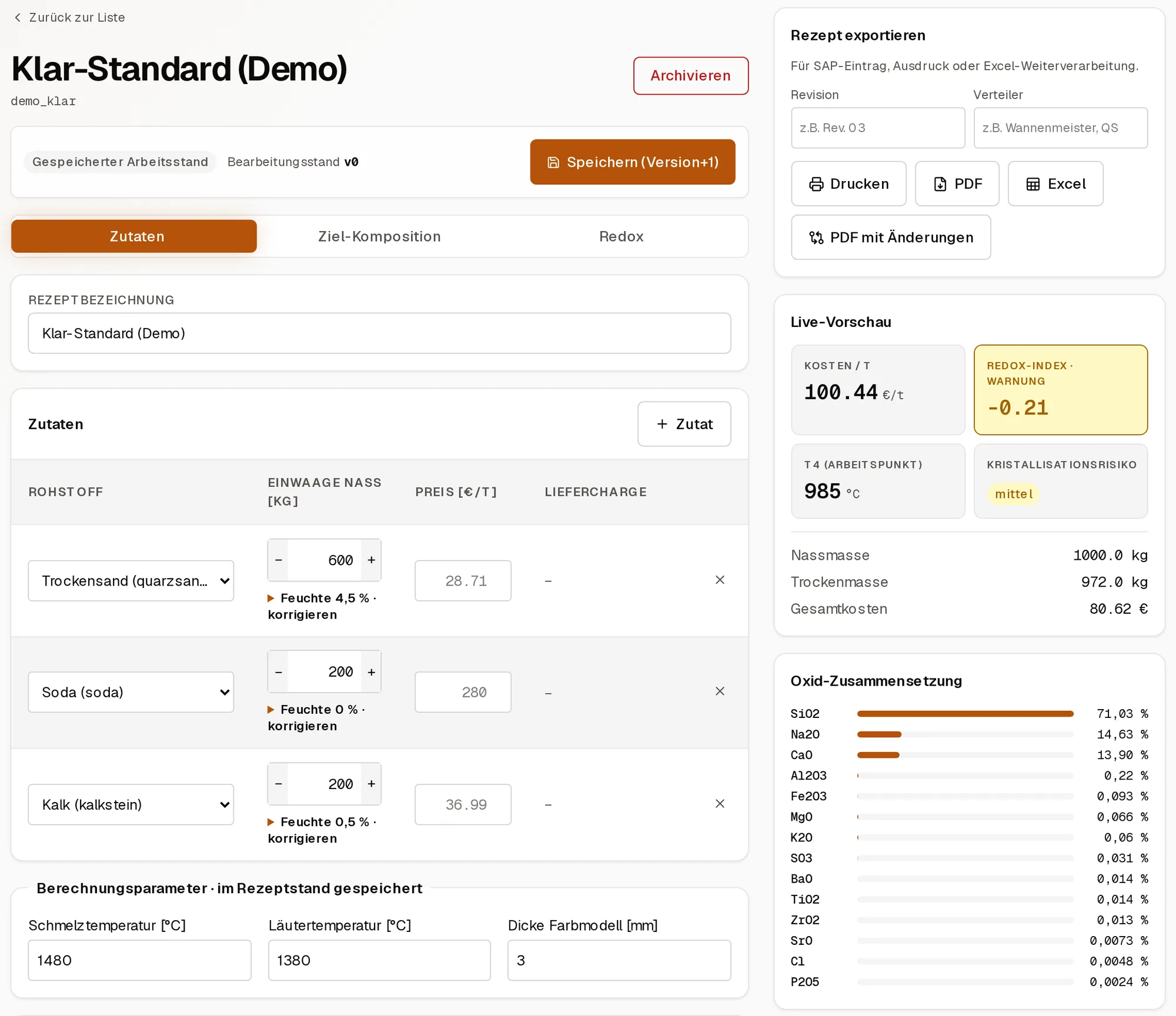
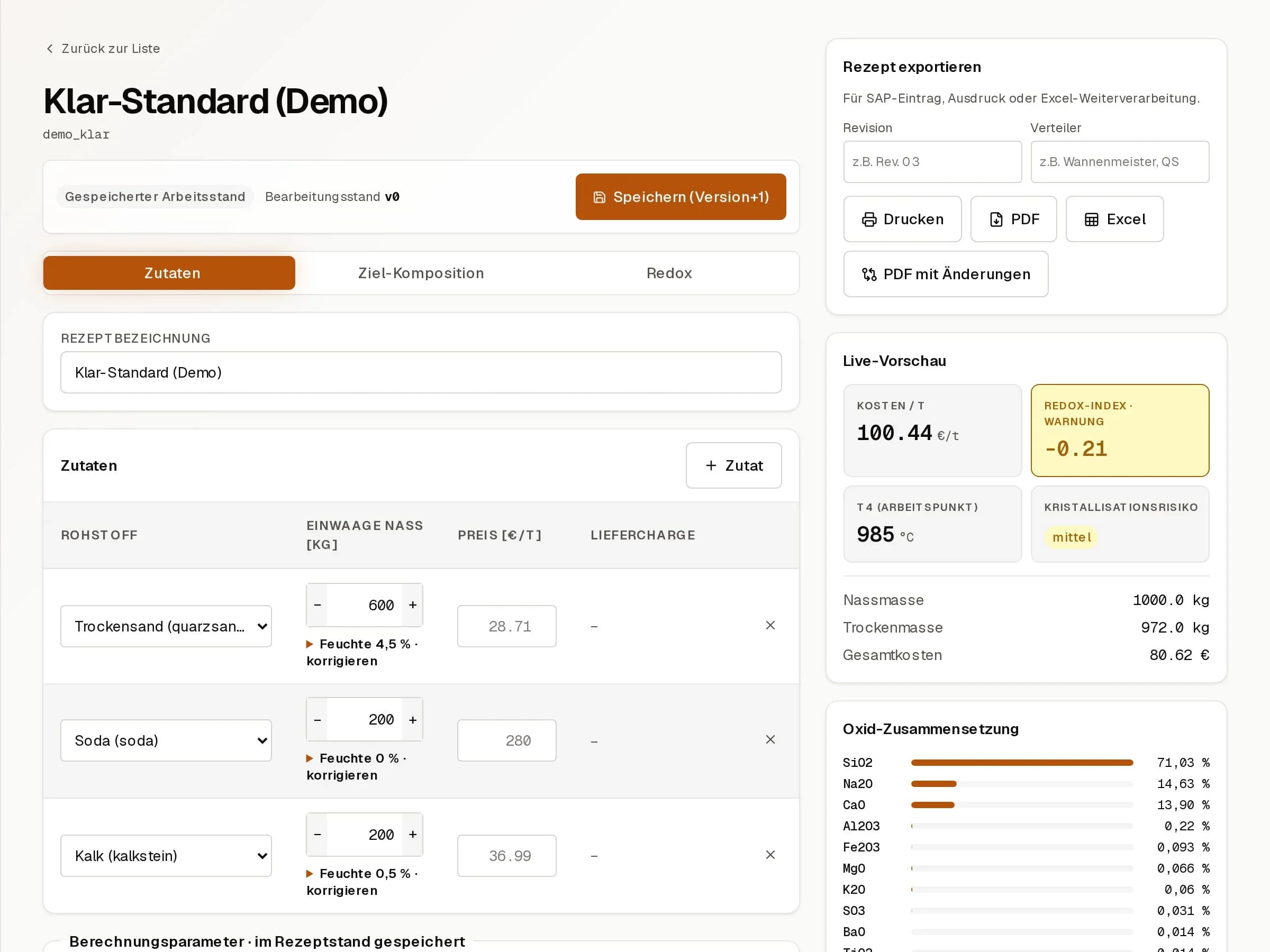
Editor with live preview of oxide balance, cost and dry mass. Every save creates a version, and several versions can be compared side by side.
For recipe work · current version
The workbench for recipes, raw materials and glass chemistry: calculate a recipe, compare versions and pass the result on as PDF, Excel or printout. Silos, shifts and production postings are not part of it.
Recipe work needs the same domain knowledge as production: raw materials, oxide calculation, redox, batch size, cost and versions. It does not need silos, shifts or live postings. Anyone at a desk who wants to change a recipe version, check the chemistry and print a batch sheet finds a full operations system cumbersome.
Put both into one product and production rules apply at the desk while drafts get the freedoms that do not belong in production. Drafts then end up in stock, or stock is rebuilt at the desk. Both cost time and cause mistakes.
Editor with live preview of oxide balance, cost and dry mass. Every save creates a version, and several versions can be compared side by side.
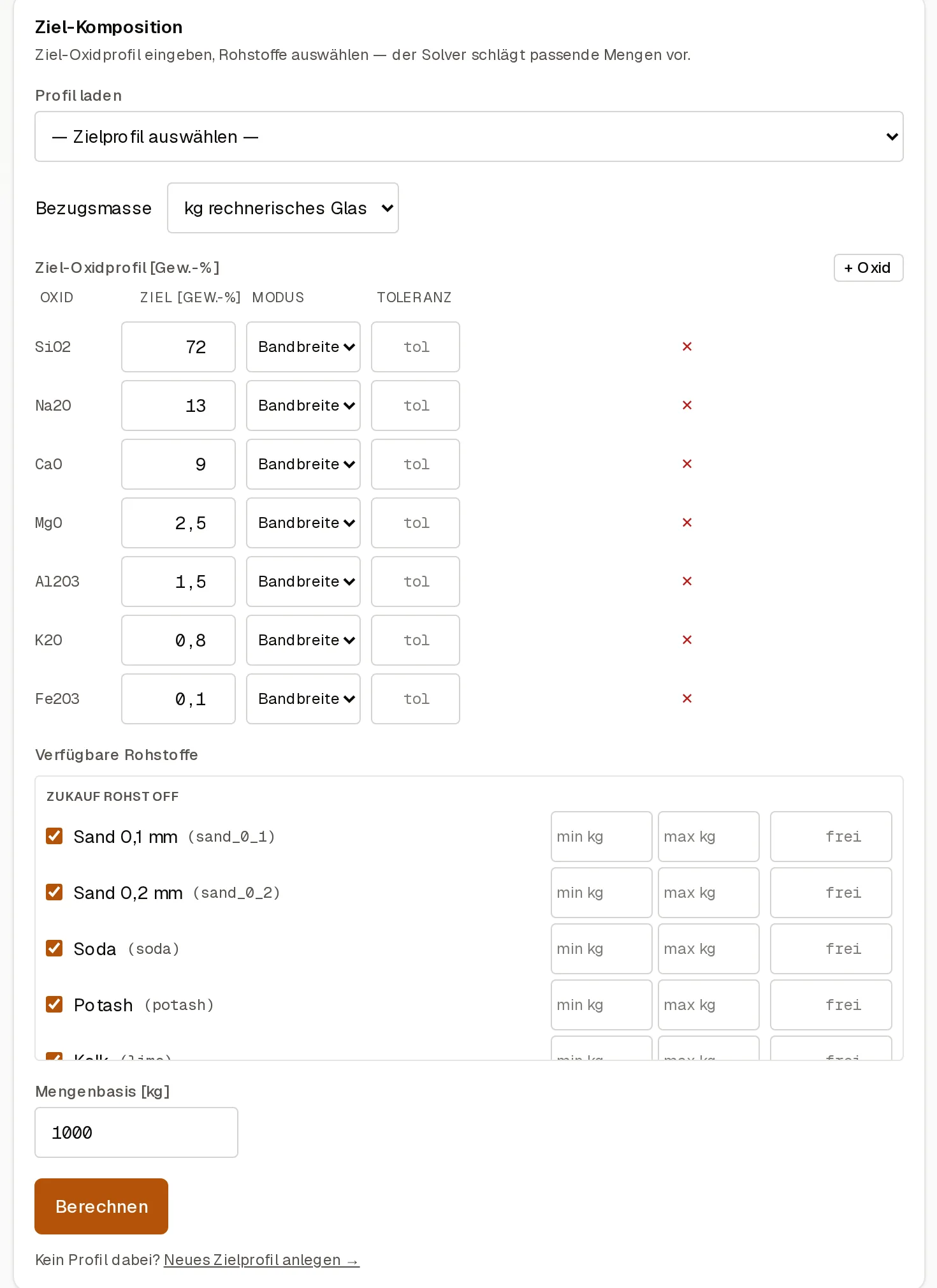
You set an oxide target profile and the available raw materials, and the solver (NNLS) proposes the quantities. Tolerances can be set per oxide, and target profiles can be reused.
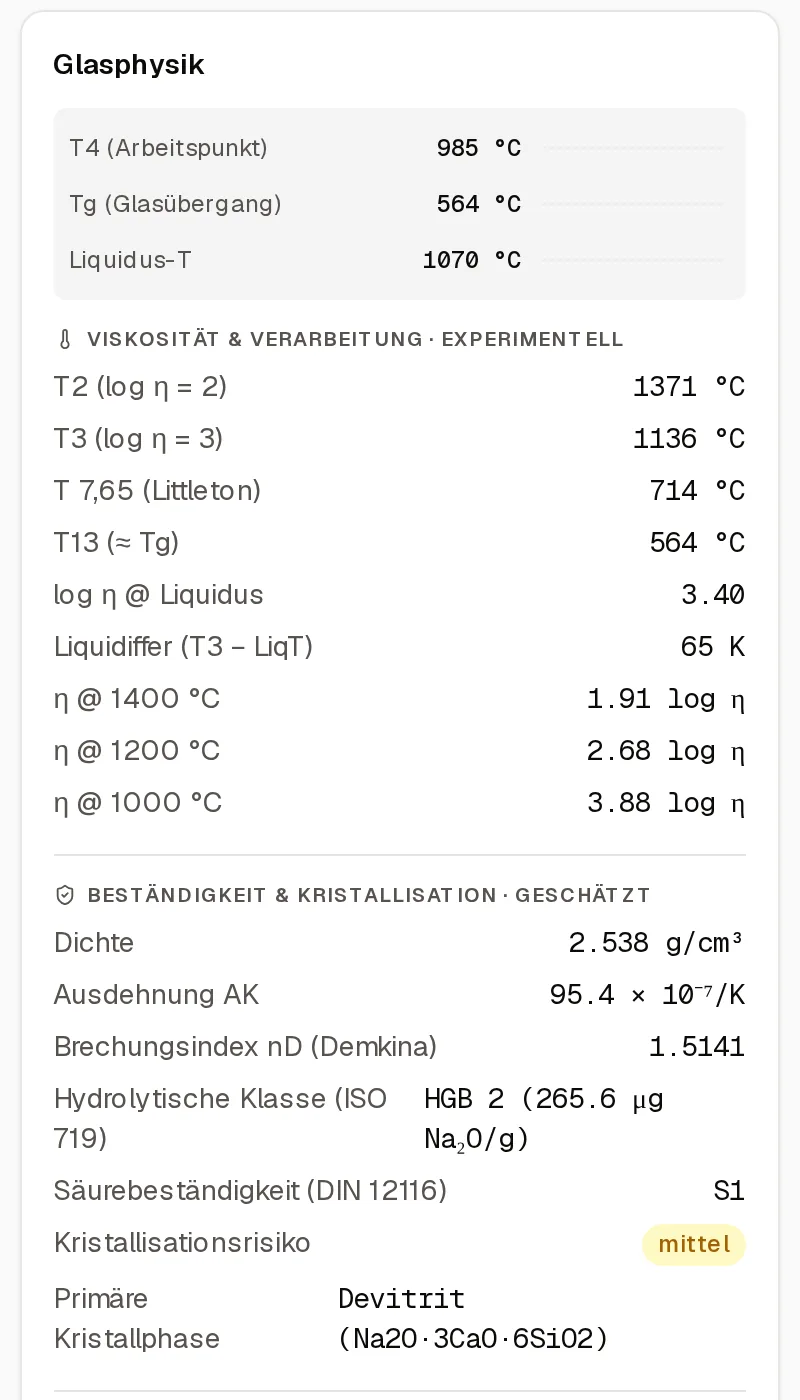
T2, T4, Tg and liquidus after Lakatos, a Vogel-Fulcher-Tammann viscosity curve, and a comparison curve after Fluegel as a cross-check.
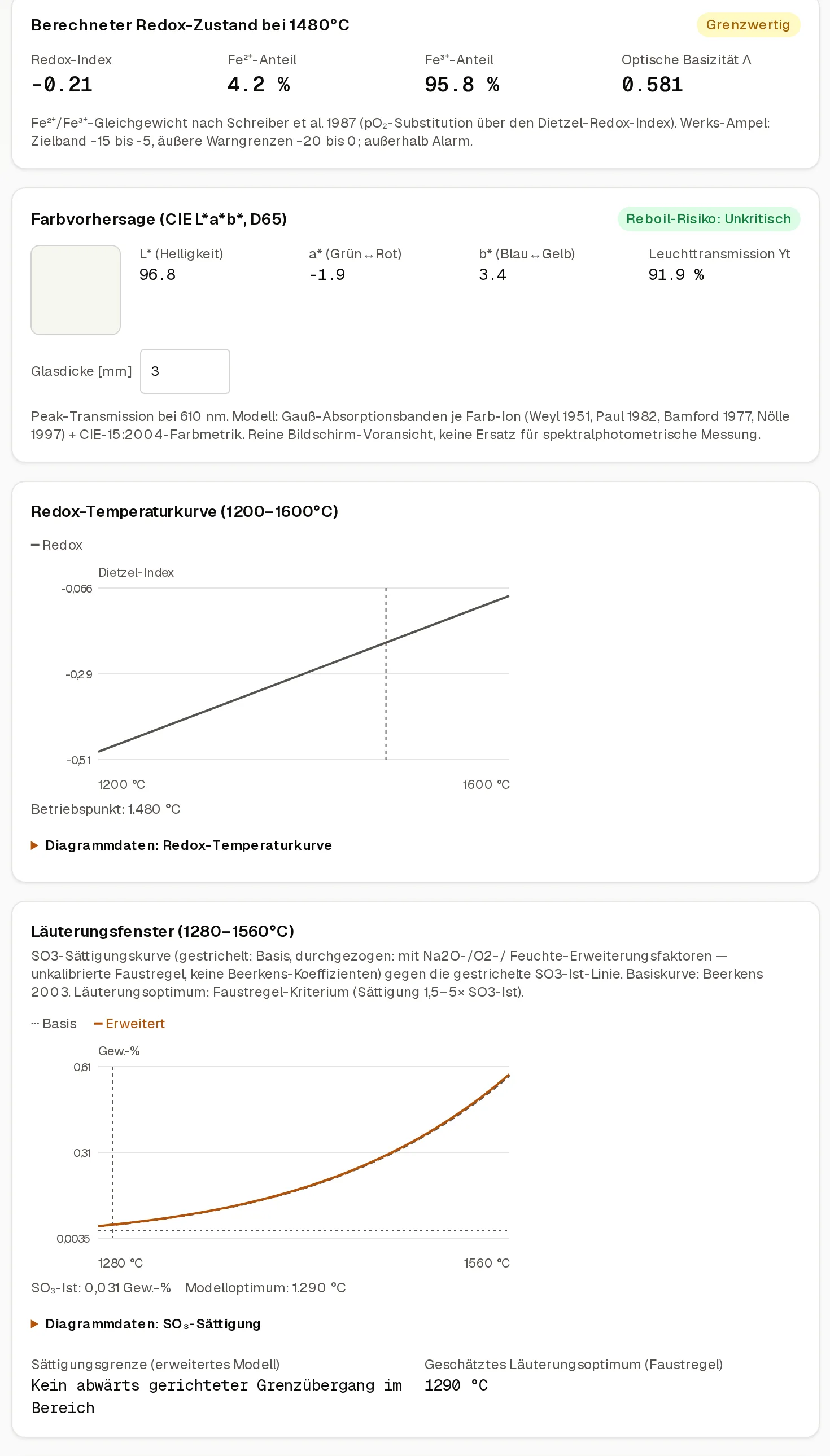
Redox after Dietzel, hydrolytic class after Vogel, acid resistance to DIN 12116, and a plausibility check against a container-glass target profile.
Master data for purchased material, cullet and in-house material, with oxide analysis and scale rounding increments.
Export as PDF, Excel and print. Optional modules include lab inbox, QA approval, SPC trend, lot traceability and SAP fields.
Walkthrough
As you change the weights, the preview recalculates cost, redox, working point and oxide balance. The result goes out as print, PDF or Excel.
You enter the oxide target profile and select the available raw materials. The solver proposes matching quantities. Limits can be set per oxide and raw material.
Working point, transition temperature, liquidus, viscosity points, density and durability sit next to the recipe. Estimates are labelled as such.
A separate area shows the calculated redox state, the colour forecast, the redox-temperature curve and the fining window. Each model is named.
Every save creates a version. The comparison sets weights, oxides and physics side by side and marks the differences.
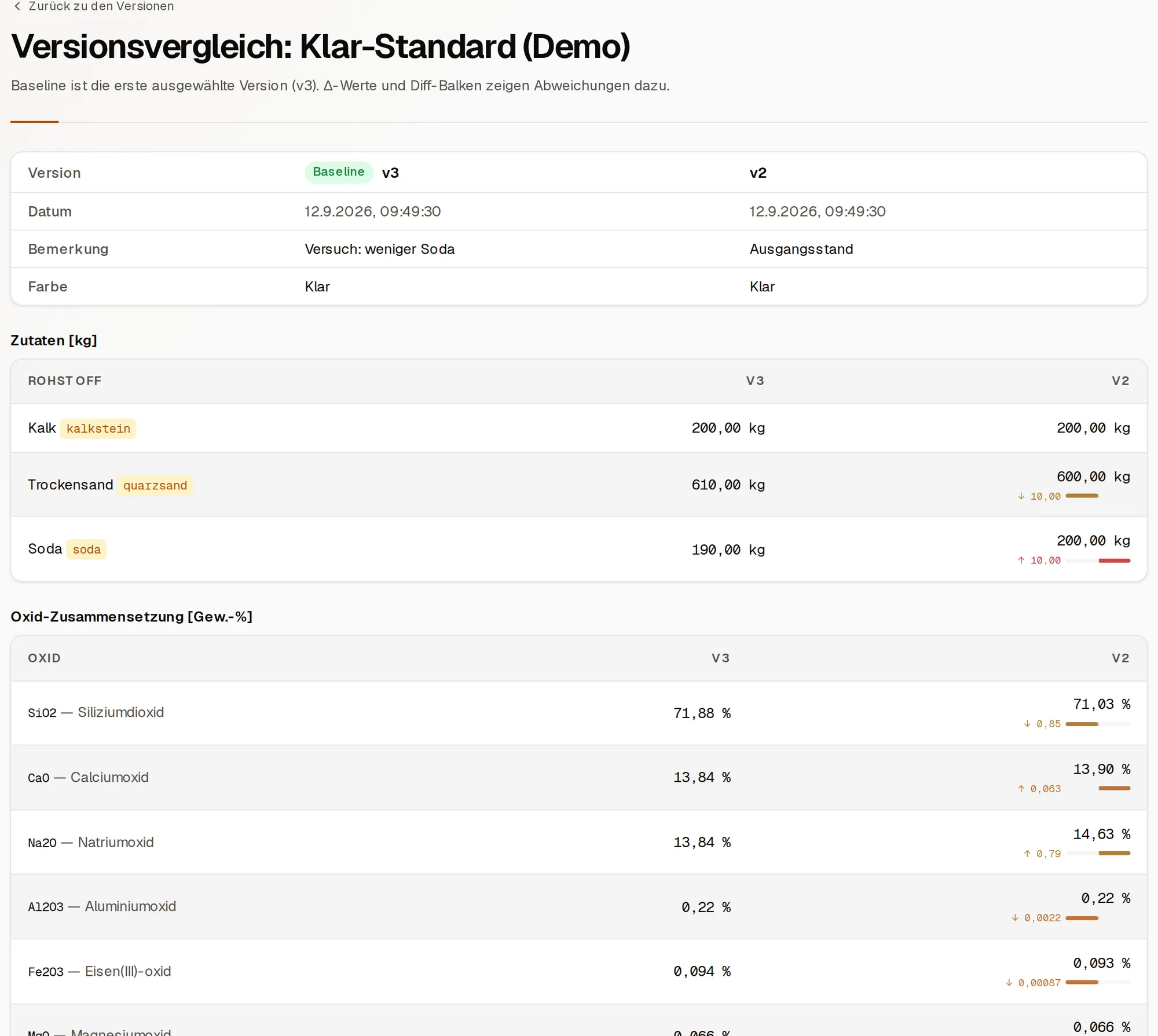
The same domain core for recipes, raw materials and glass chemistry as in W-Make Batch, without silos, shifts or live postings.
Its own server, SQLite file and interface. Recipe does not depend on the operations product.
Checking a recipe is a visible step. A calculation that runs unnoticed on save will not be found later.
Batch sheets originate here as drafts and print templates. Posting happens in W-Make Batch.
A look inside
The instance is password-protected. For a look inside, temporary access is available on request.
01
Version, compare, import and export, with reference to raw materials and cost.
02
Master data from which oxides and batch are calculated.
03
Oxides, redox and physics with a traceable calculation.
04
Draft, scaling, preview and print-ready output.
05
A separate step before a version counts as usable.
Product boundaries are an architecture decision. A good tool does not have to model the neighbouring process in full, as long as it is clear where the handover happens.
Password-protected. Temporary access is available on request.
First call · 30 minutes · free
A few sentences about the process are enough: what runs in lists or side calculations today, and who works with it. Within two working days you get a reply and a clear view of whether I am the right person for it.
Arrange a callAssess your own process →